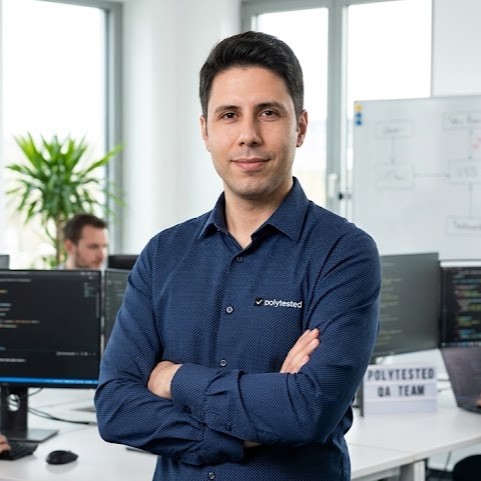
The best ChatGPT prompt for a self portrait names the picture you want and tells ChatGPT what must not change about your face. Upload a clear selfie, paste the prompt below, fill in the square brackets, then refine one detail per message. Further down: prompts for headshots, studio, outdoor and art-style portraits, photo edits, and fixes for a face that drifts.
Turn my uploaded selfie into a [head-and-shoulders portrait] in [a plain light-gray studio]. Keep my face exactly as it is: face shape, eyes, nose, skin tone, hairline and expression. Photorealistic, natural skin texture, [soft window light from the left]. [Square 1:1]. No text.How to use these prompts in ChatGPT
ChatGPT's image feature is called ChatGPT Images. OpenAI released version 2.5 on September 8, 2026, and its Help Center article on images (updated October 28, 2026) lists it on all plans, including Free, on the web, iOS and Android.
- Open a new chat, select + in the prompt area, then Add photos & files, and choose your selfie. Dragging or pasting the file works too.
- Paste a prompt, fill in the square brackets and send it. OpenAI says an image can take a few minutes.
- To change one part of the result, open the image, use Select to paint over the area and describe the change. Or just describe the edit in the chat.
- To change the shape, use the aspect ratio picker or write the ratio in your prompt.
- In the phone app, tap the image, then Edit or Select, mark the area, tap Next and describe the change.
Everything you create is saved under Images in the sidebar. On the Free plan, OpenAI's upload help page (updated October 31, 2026) allows three file uploads per day, and creating images has its own usage limit, which ChatGPT shows when you reach it. So upload your selfie once and keep editing in the same chat. Uploads can be PNG, JPEG or non-animated GIF, up to 20 MB per image.
Start with the right selfie
ChatGPT can change light, clothes and backgrounds, but it rebuilds your face from what it can see in the photo.
- Face fully visible: no sunglasses, no hair across your eyes, nothing cut off at the chin or forehead.
- Even light: daylight from a window in front of you or to the side, not hard light from above or behind.
- No beauty filter: smoothing filters and fake background blur remove the details that make you recognizable.
- Normal distance: hold the phone at arm's length or use a timer. A very close wide-angle selfie stretches the nose, and OpenAI's image-input FAQ says the model struggles with fisheye and panoramic images.
- Upright and sharp: the same FAQ says rotated images can be misread, so rotate the photo first.
- Just you, as you look now: one person in the frame, with your current hair and glasses.
With two photos, give each a job: "Use photo 1 for my face and photo 2 for my outfit." OpenAI's prompting guide recommends numbering reference images this way.
The anatomy of a good self-portrait prompt
OpenAI's prompting guide for its current image models says to describe the subject, composition, style and constraints, and, for edits, what should change and what must stay. For a portrait of yourself, that gives eight parts:
- Subject: head and shoulders, half body or full body, and where you look.
- Keep line: the features that must not change.
- Setting: a backdrop or a place.
- Style: "photorealistic" said out loud, as the guide recommends, or an art technique.
- Light: direction and quality, such as soft window light from the left.
- Camera and format: lens look, angle, depth of field, aspect ratio. The guide treats camera terms as cues for the look, not exact physics.
- Mood: calm, confident, playful.
- Exclusions: no text, no logos, no heavy retouching.
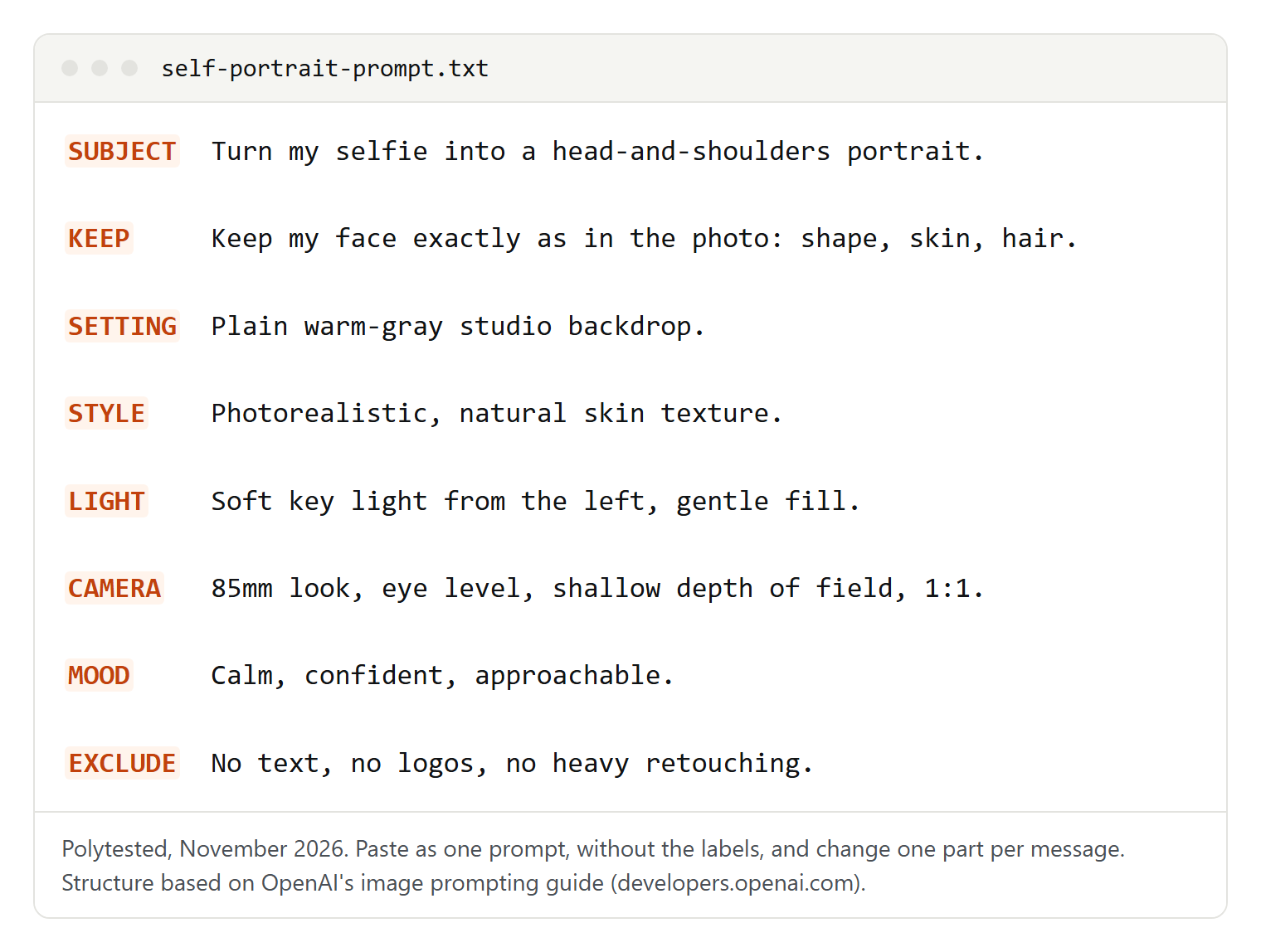
You don't need all eight every time; a clear picture plus a keep line does more than a pile of adjectives. For pictures without people, see our ChatGPT image prompts.
Professional headshot and LinkedIn photo prompts
LinkedIn's advice for profile photos (Talent Blog, August 1, 2024) is a recent picture that looks like you, your face filling about 60 percent of the frame, at least 400 x 400 pixels. So these prompts change light, clothes and background, not your face.
Turn my selfie into a professional head-and-shoulders headshot. Plain light-gray studio backdrop, soft key light from the front left, no harsh shadows. I'm wearing [a navy blazer over a white shirt]. Keep my face, skin tone, hairline and expression exactly as in the photo. Photorealistic, natural skin texture. Square 1:1, face filling most of the frame.The safe default for LinkedIn, a CV or a company page. Put clothes in the brackets that you really wear at work.
Create an approachable business portrait from my photo: chest-up, relaxed shoulders, the same natural smile as in my photo. Background: a bright, softly blurred modern office with window light. Keep my facial features and proportions unchanged. Photorealistic. Square 1:1.If you aren't smiling in your selfie, delete the smile: an expression that isn't in the photo has to be invented, which makes a face more likely to drift.
Make a modern headshot from my selfie for a [designer] profile. Half body, leaning against a textured [concrete] wall, wearing [a dark crew-neck sweater]. Soft side light, gentle shadow on one side of my face. Keep my face, glasses and hairstyle exactly as they are. Photorealistic, subtle film grain. Format 4:5.Less formal, still professional. Delete "glasses" if you don't wear any. For the headline and summary that go with the photo, our ChatGPT prompts guide covers text.
Studio portrait prompts
Describe the light like a photographer: where it comes from and what it leaves in shadow.
Turn my selfie into a classic studio portrait. Head and shoulders, face toward the camera. Warm mid-gray painted backdrop. One large soft light high on the left that leaves a small triangle of light on my shadow-side cheek. Keep my face, skin tone and expression unchanged. Photorealistic, 85mm portrait look, shallow depth of field. Format 4:5.That small triangle of light is a classic portrait lighting pattern. Naming it gives ChatGPT a concrete target, where "dramatic lighting" leaves the choice open.
Create a low-key portrait from my photo: black background, a single hard light from the right, one side of my face bright, the other in deep shadow. Dark clothing that blends into the background. Keep my face shape and features exactly as in the photo. Photorealistic, high contrast. Format 4:5.Moody and serious. If too much of your face disappears, add "the shadow side still shows detail".
Make a bright high-key portrait from my selfie: pure white background, soft even light from both sides, almost no shadows. I'm wearing [a cream sweater]. Keep my face and natural skin texture unchanged; no airbrushing. Photorealistic. Square 1:1.Light clothes keep the picture bright from edge to edge; dark clothes can make it look like a cut-out.
Natural light and golden hour prompts
Outdoors, the key line is about light: your face should look lit by the new place, not by your room.
Place me, from the uploaded photo, in [a meadow at the edge of a park] at golden hour. Low warm sun behind me lighting up my hair, soft light on my face, background softly blurred. Half body, relaxed pose. Keep my face, skin tone and hairstyle exactly as in the photo. Photorealistic, natural colors. Format 4:5.If your face comes out too dark against the sun, add "face evenly lit, no silhouette".
Create an at-home portrait from my photo: I'm sitting by a large window in [a living room with plants], daylight on one side of my face, holding a mug with both hands, calm expression. Keep my face and features unchanged. Photorealistic, gentle film look. Format 4:5.The mug gives your hands a job; OpenAI's guide recommends describing what hands are doing so the pose is clear.
Black and white and cinematic portraits
Turn my photo into a black and white portrait. Head and shoulders, dark background, one soft light from the side, rich blacks and clean whites, visible skin texture. Keep my face, expression and hair exactly as they are. Photorealistic, fine-grain film look. Format 4:5.Without color, light and texture carry the picture, which is why the prompt names both. Move the light to the side of your face you like best.
Turn my selfie into a still from a modern film: I'm standing on a rainy city street at night, neon signs in [teal and magenta] reflected on the wet pavement, shallow depth of field. Half body, looking off to the side. Keep my face identical to the photo. Photorealistic, widescreen 16:9, no readable text on the signs."No readable text on the signs" keeps made-up words out of the background. For a movie-poster feel, try a wider 21:9 format.
Fashion editorial and travel backdrop prompts
A full-body picture needs a full-body source photo, or ChatGPT has to guess your build.
Turn my photo into a fashion editorial portrait: full body visible, feet included, confident stance, wearing [an oversized red suit] against a [mustard-yellow] seamless backdrop, hard flash with a crisp shadow behind me. Keep my face, body proportions and skin tone as in the photo. Photorealistic, no text, no logos. Format 4:5.OpenAI's guide uses "full body visible, feet included" as an example of stating the framing clearly.
Place me, from the uploaded photo, on [a cliff path above the sea] on a clear morning, the coastline behind me, wearing [a light linen shirt]. Half body, the same relaxed expression as in my photo. Match the light on my face to the scene. Keep my face and hair identical. Photorealistic travel photography. Format 4:5."Match the light" asks ChatGPT to relight your face for the new place, not just swap the background. Travel scenes are for albums, wallpapers and fun; don't present one as a trip you took if that would mislead anyone. For seasonal pictures, see our Christmas photo prompts.
Art styles, described by technique
Describe the technique and the materials, not an artist or a studio. Paint, paper, line and color give ChatGPT a precise target, and the picture stays your own.
Turn my photo into an oil painting portrait on canvas: visible brushstrokes, thick paint in the highlights, warm earthy colors, dark brown background, soft light from the upper left. Keep my face recognizable: same face shape, eyes, nose and hairline. Format 4:5.A classic for a framed print or a gift; change the palette or background color to suit the room.
Paint me from my selfie as a loose watercolor portrait: soft washes of [blue and peach], pigment bleeding at the edges, white paper showing through, a few fine pencil lines under the paint. Keep my features recognizable. No text. Format 2:3.Choose two or three colors for the washes in the brackets; a short palette keeps it loose.
Turn my photo into a graphite pencil sketch on off-white paper: confident outlines, cross-hatched shading, smudged soft shadows, unfinished edges toward the shoulders. Keep the proportions of my face exactly as in the photo. Square 1:1.A quiet, personal profile picture. Ask for charcoal instead of graphite if you want darker shadows.
Draw me from my selfie as a comic book character in a single panel: bold black ink outlines, flat bright colors, halftone dot shading, a simple [city rooftop] background. Keep my hairstyle, glasses and face shape recognizable. No speech bubbles, no text. Format 4:5.Speech bubbles are left out because OpenAI's guide says to check the spelling of any text the model draws; add them yourself.
Turn me into a small 3D collectible figure on a round base on a desk: matte vinyl finish, slightly oversized head, simplified features that still look like me, my real outfit from the photo. Soft studio light, original design, no logos, no brand packaging. Square 1:1."No logos, no brand packaging" keeps the figure your own design. In all art styles, aim for "recognizable" rather than "identical". For exaggerated features, see our ChatGPT caricature prompt guide.
Photo editing prompts
These prompts change the photo you uploaded instead of making a new portrait. OpenAI's guide puts it simply: say "change only" the thing you want and list what must stay. Keep that list even when you use the selection tool; the Help Center warns that edits can spread beyond the selected area.
Change only the background of my photo to [a softly blurred bookshelf]. Keep me exactly as I am: face, hair, clothes, pose and the light on my face. Match the new background's light to the light already on me.A simple, softly blurred background suits a profile picture; a busy one competes with your face.
Fix the lighting in my photo: brighten my face, soften the harsh shadows under my eyes and nose, and remove the yellow cast from the indoor bulb. Change nothing else. Keep natural skin texture.Say what is wrong with the light, not just "better lighting", so ChatGPT knows what to fix.
Change only my clothing to [a charcoal-gray blazer over a black T-shirt]. Keep my face, hair, pose, background and lighting unchanged. The new clothes should fit my posture, with realistic folds.Describe the color and fabric. For a headshot, plain colors without logos keep the attention on you.
Apply a warm film-style color grade to my photo: slightly lifted shadows, warm highlights, softer greens, gentle grain. Only adjust color and tone; keep my face and natural skin tone unchanged.Swap "warm" for "cool" or "muted" for other looks; the skin-tone line keeps your face natural.
Restore this old photo: remove scratches, dust and creases, bring back the faded colors [or: keep it black and white], and sharpen it slightly. Keep every face, expression and piece of clothing exactly as it is. Don't add details that aren't in the original; leave unclear areas soft.A restored photo is a new interpretation, not a recovered original: where the scan shows nothing, ChatGPT has to fill something in. Keep the original scan, and call the new version restored when you share it.
How to keep your face unchanged
Faces drift when the prompt asks for something the photo doesn't show, such as a new angle or a smile, when several changes arrive at once, or when edits pile up.
Keep my face exactly as in the photo: face shape, eyes, eyebrows, nose, mouth, skin tone, freckles and moles, hairline, hair color and glasses. Do not slim, smooth, whiten or reshape anything.- One change per message. The guide recommends one change at a time, checking each result and repeating what to preserve.
- Restate when it drifts. "Same as before" carries some context, but the guide says to restate important constraints when results start to change.
- Go back to the original. After several rounds, start again from your first upload with one prompt that combines the changes you liked.
- Don't ask for a new angle or expression; upload a photo that already has it.
- Combine by hand when it must be exact. For a region that has to stay identical, the guide advises merging the edit with the original in an image editor.
Aspect ratios for profiles, posts and prints
The Help Center says ChatGPT can make any aspect ratio. Ask for the right shape from the start: cropping later can cut off your head, and the editor's Aspect ratio button creates a new version, so check your face again after using it.
| Where the picture goes | Ratio to ask for | Note |
|---|---|---|
| Profile photo, such as LinkedIn | 1:1 | LinkedIn: at least 400 x 400 pixels, face about 60 percent of the frame |
| Instagram feed post | 4:5 or 1:1 | Instagram keeps shapes from 1.91:1 (wide) to 3:4 (tall) and crops others |
| Phone wallpaper | 9:16 | The shape of OpenAI's 4K portrait size, 2160 x 3840 pixels |
| Desktop background | 16:9 | The shape of OpenAI's 4K landscape size, 3840 x 2160 pixels |
| 4 x 6 or 8 x 12 inch print | 2:3 | Print lab WHCC lists these sizes under 2:3 |
| 8 x 10 or 16 x 20 inch print | 4:5 | A 2:3 file gets cropped at this size |
| 5 x 7 inch print | 5:7 | Its own ratio; ask for it directly |
Sources: LinkedIn, Instagram Help Center, WHCC and OpenAI, read November 2, 2026. For a large print, ask your print service whether the file has enough pixels.
Fixing common problems
Most problems have a fix you can type, based on OpenAI's prompting guide and Help Center.
| Problem | What to try |
|---|---|
| The face looks like someone else | Add the full keep line, ask for one change per message, or restart from the original photo |
| Skin looks plastic | Add "natural skin texture, visible pores, no heavy retouching"; delete words like flawless |
| Eye color, glasses or teeth changed | Name them in the keep line |
| Hands look odd | Give the hands a job, such as holding a mug, or ask for a chest-up crop |
| Wrong or garbled text | Put the exact words in quotes and say they appear once, or ask for no text |
| Head or feet cut off | State the framing ("space above the head") and the ratio |
| The background looks pasted in | Ask to match the light on your face to the new scene |
Refusals usually come from safety checks: OpenAI's system card for ChatGPT Images 2.5 says prompts and uploaded images are checked together before an image is made, and the result is checked again before you see it. If a harmless request was misread, rewrite it plainly and describe the picture, not a person it should resemble. Don't try to trick the checks; OpenAI's usage policies prohibit circumventing safeguards.
Privacy, permission and OpenAI's rules
Use your own photos, or photos of people who said yes. OpenAI's usage policies (in force since October 29, 2025; the update taking effect on November 20, 2026 keeps these rules) prohibit using someone's likeness, including a photorealistic image, without consent in ways that could confuse authenticity, as well as deceit, impersonation and non-consensual intimate content. So: no prompts to look like a celebrity, no edited ID photos or documents, no fake events presented as real.
Take care with children's photos. Restoring an old family photo is ordinary use, but think twice before uploading a child's photo, agree on it with the other parent, and don't edit photos of other people's children. OpenAI's terms require users under 18 to have a parent's or guardian's permission, and parents of a linked teen account can turn image creation off.
Decide what OpenAI may keep. On personal Free, Plus and Pro accounts, Improve the model for everyone is on by default; turn it off under Settings, Data controls. A Temporary chat isn't saved to your history or used to improve models, though OpenAI may keep a copy for up to 30 days for safety. To delete a created image, delete the conversation it came from; files saved in your Library are deleted separately.
Expect a label. OpenAI's Help Center (updated October 28, 2026) says images made with ChatGPT carry Content Credentials (C2PA metadata) and an invisible SynthID watermark, checkable at openai.com/verify. The signals contain nothing about you or your prompt.
Who owns the result. OpenAI's terms say that, as between you and OpenAI, you own the output, and that others may receive similar output; this isn't legal advice, so read the terms before commercial use.