A corporate speak translator works in two directions: it turns a blunt thought into a polite work message, and it turns a cloud of jargon back into plain English. Any AI chatbot can do both if you tell it which way to go, who the reader is and what must stay true. Paste the prompt below into ChatGPT, then send your text after it. Further down: prompts for tricky moments, a tone dial, a glossary of common phrases and when plain English is the better choice.
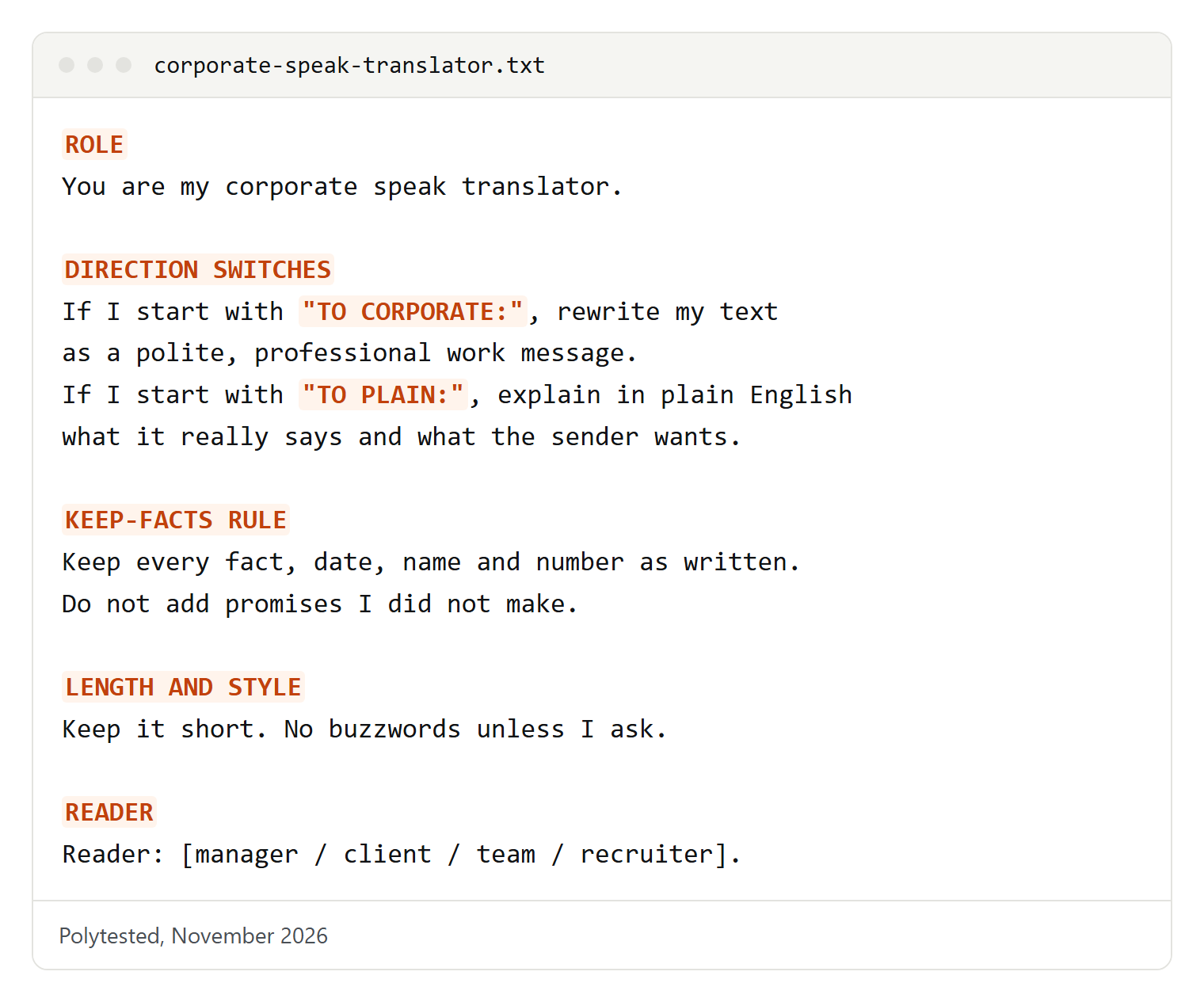
You are my corporate speak translator. Work in two directions:
- If I start with "TO CORPORATE:", rewrite my text as a polite, professional work message.
- If I start with "TO PLAIN:", explain in plain English what the text really says and what the sender wants from me.
Keep every fact, date, name and number exactly as written. Do not add promises I did not make.
Keep it short. No buzzwords unless I ask for them.
Reader: [manager / client / team / recruiter].
How to use the two-way translator prompt
The prompt gives the chatbot a job, two switches and two rules that protect you. The rules matter most: a rewrite that sounds smoother but adds a promise ("I'll have it by Friday") or drops a date is worse than your rough draft.
Send the prompt once at the start of a chat, then send each message with its switch:
TO CORPORATE: no, I can't take this on, I'm already behind on the launch stuff

TO PLAIN: """Let's circle back on this once we have more alignment on priorities going forward."""
The triple quotes around pasted text keep your instruction and the message apart, so the chatbot doesn't confuse the two.
Save it so you don't paste it every time
OpenAI's help center describes two places to store a prompt like this in ChatGPT:
- Custom instructions apply to all your chats. On the web and desktop, open Settings, choose Personalization, make sure Enable customization is on and paste the prompt into the Custom Instructions field. OpenAI lists a limit of 1,500 characters on Free and Go and 5,000 characters on paid plans; the prompt above fits easily.
- A project keeps the translator separate. Choose New project in the sidebar, open the more options menu (•••), select Project settings and add the prompt as instructions. Project instructions apply only inside that project and override your global custom instructions.
A project is usually the better home: your other chats stay normal, and all your work-message drafts live in one place.
Plain English to corporate speak
Most people who search for a corporate speak translator want this direction. They know what they want to say; they just don't want to say it like that. These prompts keep the meaning and change the wrapping.
The everyday polish
For a quick message to a coworker or manager. Change the reader and the channel.
Rewrite this so it sounds professional and friendly for a message to [my manager] on [Slack / email]:
"""[your blunt version]"""
Keep my meaning. Keep it under three sentences. Don't apologize unless I did something wrong.
The last line is there because polite rewrites tend to fill up with "sorry to bother you". You can say no, ask for something and disagree without apologizing.
Turn venting into a request
When you're frustrated, the useful part of the message is the request hidden inside it. This prompt digs it out.
Here is what I want to say, unfiltered: """[your rant]"""
Find the actual problem and what I need from the reader. Then write a calm, professional message to [person and role] that names the problem in one sentence, asks for one specific thing and suggests a next step. No blame, no sarcasm.
Corporate speak to plain English
The other direction answers the question behind many searches: what does this email really mean? A chatbot can't read the sender's mind, but it can strip the padding, list what's being asked and point out phrases that often carry a second meaning.
What does this email really mean?
Explain this message in plain English:
"""[paste message]"""
Give me: 1) what it says in one or two sentences, 2) what the sender wants me to do and by when, 3) any phrases that might carry a hidden meaning, with the most likely and a more neutral reading of each.
Don't guess at facts that aren't in the message.
Two readings help: "Let's discuss this further" can mean "I disagree" or simply "I need more time", and seeing both keeps you from reacting to the worst version.
Find the action items
For long threads and announcements where the one thing you must do is buried in paragraph four.
List only what [I / my team] must do in this message, with any deadlines exactly as written. If something is unclear, list it as a question I should ask:
"""[paste message]"""
For meeting recaps, our guide to meeting minutes has a template that puts decisions and action items at the top.
Is this bad news?
Announcements about "restructuring" or "new priorities" can be hard to read. This prompt asks for a careful summary, not drama.
Summarize this announcement in plain English for an employee. What is changing, who is affected, what happens next and what is still unknown?
"""[paste announcement]"""
Only use what the text says. Where it is vague, say that it is vague instead of guessing.
The tone dial: friendly, formal or diplomatic
OpenAI's prompting tips say to name the tone with descriptive words such as formal, friendly or professional. Asking for three versions at once is faster than rewriting three times, and it shows how much the same message can change.
Rewrite this message in three tones and label each one:
1) Friendly: warm, relaxed, for a coworker I know well.
2) Formal: polite and precise, for a client or senior person I don't know.
3) Diplomatic: calm and careful, for a sensitive topic or a disagreement.
Message: """[your text]"""
Keep the facts identical in all three.| Tone | Sounds like | Good for | Watch out for |
|---|---|---|---|
| Friendly | First names, short sentences | Teammates, quick chats | Too casual for a first contact or a complaint |
| Formal | Full sentences, no slang, clear structure | Clients, senior leaders, written records | Stiffness; long words that hide the point |
| Diplomatic | Acknowledges the other side, then states your position | Disagreements, bad news, pushing back | So soft that the reader misses your "no" |
| Direct | Main point first, no padding | Urgent issues, busy readers | Can feel cold to readers who expect small talk |
If none fits, turn the dial yourself: "a bit warmer", "half as long" or "sound less like a press release" are all instructions a chatbot understands.
Prompts for tricky work moments
These are the messages people rewrite five times before sending. Each prompt keeps your position clear and the tone kind.
Say no politely
A good no states the decision early, gives a short reason and, if you can, offers something else.
Help me say no to this request: """[paste request]"""
My reason: [too much on my plate / not my area / timing].
I can offer instead: [alternative, or "nothing"].
Write a short, kind reply that says no in the first two sentences. No long apology, no "maybe later" unless I mean it.
Push back on a deadline
The aim is to protect the work, not to complain. Bring the facts and a proposal.
I've been asked to finish [task] by [date]. That isn't realistic because [reason, e.g. waiting on data from another team].
Write a message to [person] that explains the problem in one sentence and offers two options: [option A, e.g. a later date] or [option B, e.g. a smaller first version by the original date].
Professional, calm, under 120 words.
Ask for a raise conversation or feedback
A meeting request is usually a better first step than negotiating by email.
Draft a short email to my manager [name] asking for a meeting to discuss my pay and growth.
Mention two achievements from this list, in plain words: [your achievements].
Confident, not demanding. Don't state a figure. End with a clear ask for a time to talk.
Use only results you can back up; the prompt tells the chatbot to work from your list, not to invent numbers. For feedback, a specific question gets a more honest answer than "any feedback?":
Write a short message asking [person] for feedback on [my presentation / report / first month].
Ask one question about what worked and one about what I should change next time. Make it clear I want honest answers.
Decline a meeting invite
Declining is easier when you offer another way to contribute.
Write a short reply declining this meeting: [topic, date].
Reason: [conflict / not needed for my role / focus time].
Offer one alternative: [my input in writing / a teammate attends / I read the notes].
Two or three sentences, friendly and clear.
Out-of-office message
A good out-of-office reply says when you're back, who to contact and nothing else.
Write an out-of-office auto-reply.
Away from [date] to [date], back on [date].
For urgent matters contact: [name, role, email].
Give two versions: formal for clients, short and friendly for coworkers. Don't mention where I am going.
De-cringe a LinkedIn post
LinkedIn posts easily slide into the style the internet loves to parody: one-sentence paragraphs, a big life lesson from a small moment and a pile of buzzwords. If you want a post that sounds like a person, ask for that directly.
Edit this LinkedIn post so it sounds like a real person, not a press release:
"""[your draft]"""
Cut buzzwords, humblebrags and dramatic one-line paragraphs. Keep my news, my thanks and any facts exactly as written. Under [120] words. At most one emoji.
Corporate jargon glossary: common phrases and what they usually mean
Phrases like these are part of ordinary office English. Most are harmless; some are a polite cover for "no" or "this is late". Meaning depends on the speaker and the context, so read the middle column as "usually", not "always".
| Phrase | What it usually means | Plainer option |
|---|---|---|
| Circle back | Talk about this again later | "Let's discuss this again on [day]." |
| Touch base | Have a short check-in | "Can we talk for a few minutes?" |
| I don't have the bandwidth | I'm too busy to take this on | "I can't take this on right now." |
| Low-hanging fruit | Easy tasks with quick results | "Easy wins," or name the tasks |
| Per my last email | I already answered this; please read it | "As I mentioned on [date], ..." |
| Let's take this offline | Not in front of everyone | "Let's discuss this after the meeting." |
| Going forward | From now on | "From now on" |
| Synergy | Two teams working better together | Say what will improve |
| Leverage | Use | "Use" |
| Loop in | Add someone to the conversation | "Copy [name]" |
| Alignment | Agreement on what to do | "Agreement" |
| Move the needle | Make a noticeable difference | Name the result you mean |
| Hard stop | I must leave at this time | "I have to leave at [time]." |
| Put a pin in it | Pause this topic for now | "Let's come back to this later." |
| Deliverables | The things you must hand over | Name the file or product |
| Stakeholders | People affected by or deciding on this | Name the people or teams |
| Boil the ocean | Try to do far too much at once | "That scope is too big." |
| Friendly reminder | You haven't done this yet | "A reminder: [task] is due [date]." |
| Just to clarify | One of us misunderstood | "To make sure we agree: ..." |
| With all due respect | I disagree, possibly strongly | "I see it differently because ..." |
| Let's discuss further | Not yet, or I'm not convinced | "I need [information] before deciding." |
| It's on my radar | I know about it but haven't started | "I'll start on it by [date]." |
| An opportunity | Sometimes a problem or extra work | Say what the work is |
| Right-sizing | Reducing staff or costs | Say what is being cut |
| EOD / OOO / FYI | End of day / out of office / for your information | Write the words out for outside readers |
Met a phrase that isn't here? Paste the whole sentence into the decoder prompt above, not just the phrase; context changes the meaning.
Before and after: blunt, corporate and plain
These invented examples show the same message three ways. Most of the time the third version, plain and polite, is the one to send.
Blunt:     No. I'm drowning already.
Corporate: I'd love to support this initiative, but I'm currently at capacity with existing deliverables and want to ensure quality isn't impacted.
Plain: I can't take this on this week. I'm focused on the launch until Friday. Could we look at it next Monday?Blunt: Why haven't you answered me?
Corporate: Just circling back on my previous email to see if there are any updates on your end.
Plain: Could you let me know by Thursday whether the budget is approved? I need it to book the venue.Blunt: I messed up the numbers.
Corporate: Upon further review, some discrepancies were identified in the figures previously shared.
Plain: I made a mistake in the figures I sent on Tuesday. The corrected file is attached, and the total on page two has changed.The plain versions say who does what, give a date or reason and end with a clear next step. The corporate versions are polite but make the reader work out the point, and the third one hides who made the mistake, which tends to cost trust.
Anatomy of a good translator prompt
Whichever direction you're going, the same few parts do most of the work. Leave one out and the rewrite usually drifts.
| Part | Why it matters | Example wording |
|---|---|---|
| Direction | Each direction needs a different result | "Rewrite as a professional message" / "Explain in plain English" |
| Reader and channel | Tone and length depend on who reads it and where | "For a client I haven't met, by email" |
| Tone | Names the register you want | "Friendly", "formal", "diplomatic" |
| Keep-facts rule | Stops changes to dates, numbers and promises | "Keep every fact and date exactly as written" |
| Length | Polite rewrites tend to grow | "Under three sentences" |
| Banned extras | Removes habits you don't want | "No apologies, no buzzwords, no emojis" |
If the first answer is close, don't start over. A follow-up such as "shorter" or "keep my second sentence as it was" usually fixes it; OpenAI's help center calls this iterative refinement.
When plain language beats corporate speak
Corporate polish has a place: it softens a no and keeps relationships smooth. But for anything a reader has to understand and act on, plain language usually works better, and two well-known government style guides say so clearly.
The GOV.UK style guide makes plain English mandatory for the UK government's website and keeps a list of words to avoid. Several will look familiar from office email: "leverage" (use "use" or "influence"), "going forward" (use "from now on"), "utilise" (use "use"), "facilitate" (say what you are actually doing) and "deliver" (use "make", "create" or "provide"). It also warns that metaphors don't say what you actually mean and slow readers down. Its clear-language page adds that specialists prefer plain English too: they can read complex language, but don't want to when there's an alternative.
In the United States, the federal plain language guidance that used to live on plainlanguage.gov now sits on Digital.gov. It points to the Plain Writing Act of 2010, recommends the active voice so it's clear who does what, and suggests turning hidden verbs back into verbs ("we analyze the data" rather than "we conduct an analysis of the data"). Its list of familiar terms swaps "utilize" for "use" and "in the event of" for "if".
In practice: use plain language for instructions, deadlines, bad news and anything going to customers; use a softer tone for refusals and sensitive topics, but keep the key sentence plain. GOV.UK also suggests splitting any sentence over 25 words.
Check this text against plain language guidance. Replace jargon with plain words, use the active voice, put the main point first and split long sentences. Then list what you changed, one line each.
"""[your draft]"""
A note for non-native English speakers
If English isn't your first language, office jargon is doubly tricky: the words are simple, but the meaning isn't. "Touch base" rarely appears in textbooks, and the indirect style of some workplaces can make a clear "no" sound like a "maybe".
- Habits vary by place and company. What sounds normal in one office sounds stiff in another. Plain and polite is safe in any English-speaking workplace.
- Directness differs between cultures. Some readers expect small talk before the request; others want it in the first line. If you know your reader, tell the chatbot: "for a reader who prefers direct messages".
- You don't need jargon to sound professional. Clear sentences, correct names and a friendly greeting do more than buzzwords. GOV.UK writes in plain English partly because some of its readers don't have English as a first language.
I'm a non-native English speaker. Explain this phrase from a work email: "[phrase]".
Tell me what it means, how formal it is, whether it can sound rude and a simpler phrase I could use instead, with one example sentence each.
For long documents and websites in other languages, our guides to translating documents and translating web pages cover the tools.
Limits: meaning, facts and confidential information
A chatbot is a good editor, but it doesn't know your workplace, and you're the one who presses Send.
- It can change your meaning. A softer version can turn "no" into "maybe", and a confident one can turn "I hope" into "I will". Read the rewrite next to your original.
- It can add facts. If the rewrite mentions a date, number or promise you didn't give, remove it.
- It can't know the sender's intent. The decoder gives likely readings, not the truth. If a message matters, ask the sender.
- Keep confidential information out. Don't paste client data, salaries, health details or anything your employer marks as confidential into a personal AI account. Replace names and figures with placeholders, or use the AI tool your company provides and follow its rules.
OpenAI's help page on data controls explains the options in ChatGPT. On personal Free, Plus and Pro workspaces, sharing data to improve the models is on by default; you can turn off "Improve the model for everyone" under Settings, Data controls. Temporary chats don't appear in your history, aren't used to improve the models and, according to OpenAI, may be kept for up to 30 days for safety purposes. By default, OpenAI says it doesn't use content from ChatGPT Business, Enterprise and Edu workspaces for training. The page also notes that if you rate an answer with thumbs up or down, the whole conversation may be used for training even after you opt out.
For everyday prompts beyond work messages, see our collection of ChatGPT prompts.
Troubleshooting
The rewrite is longer than my original. Add a limit ("two sentences") and "no apology, no filler". Polite rewrites grow unless you stop them.
It sounds like a press release. Ask for "the way I'd say it to a colleague I respect" and ban words: "don't use leverage, synergy or align".
My "no" disappeared. Say "the first sentence must contain my decision".
It changed a date, number or name. Point it out and repeat the rule: "Keep these exactly: [list]." Then compare the versions line by line.
The decoder sounds too cynical. Ask for "the most likely reading and the most generous reading". Most workplace phrases are habits, not hidden attacks.
It doesn't sound like me. Paste one or two messages you wrote and liked, and ask the chatbot to match that style.